
Getting Started as an Instructor: A User’s Guide to Aklanons.com Instructor Experience

8 Minutes Read Time
Aklanons.com Instructor Feature
Welcome to the Aklanons.com Instructor Role feature! This powerful learning management tool is exclusively available to our community members who want to share their knowledge and expertise with others.
How to Request Access
Are you a teacher, consultant, instructor, or someone with valuable skills to share? You can request access to our instructor features by contacting us through the Aklanons.com Contact Us page. We welcome educators and skilled professionals who are passionate about creating meaningful learning experiences for our community.
Who Can Apply:
- Teachers and educators
- Professional consultants
- Subject matter experts
- Industry professionals
- Skilled practitioners in any field
- Anyone with valuable knowledge to share
Once your request is approved, you’ll gain access to our comprehensive instructor dashboard and course creation tools designed to help you build and deliver exceptional educational content.
Accessing Your Instructor Tools
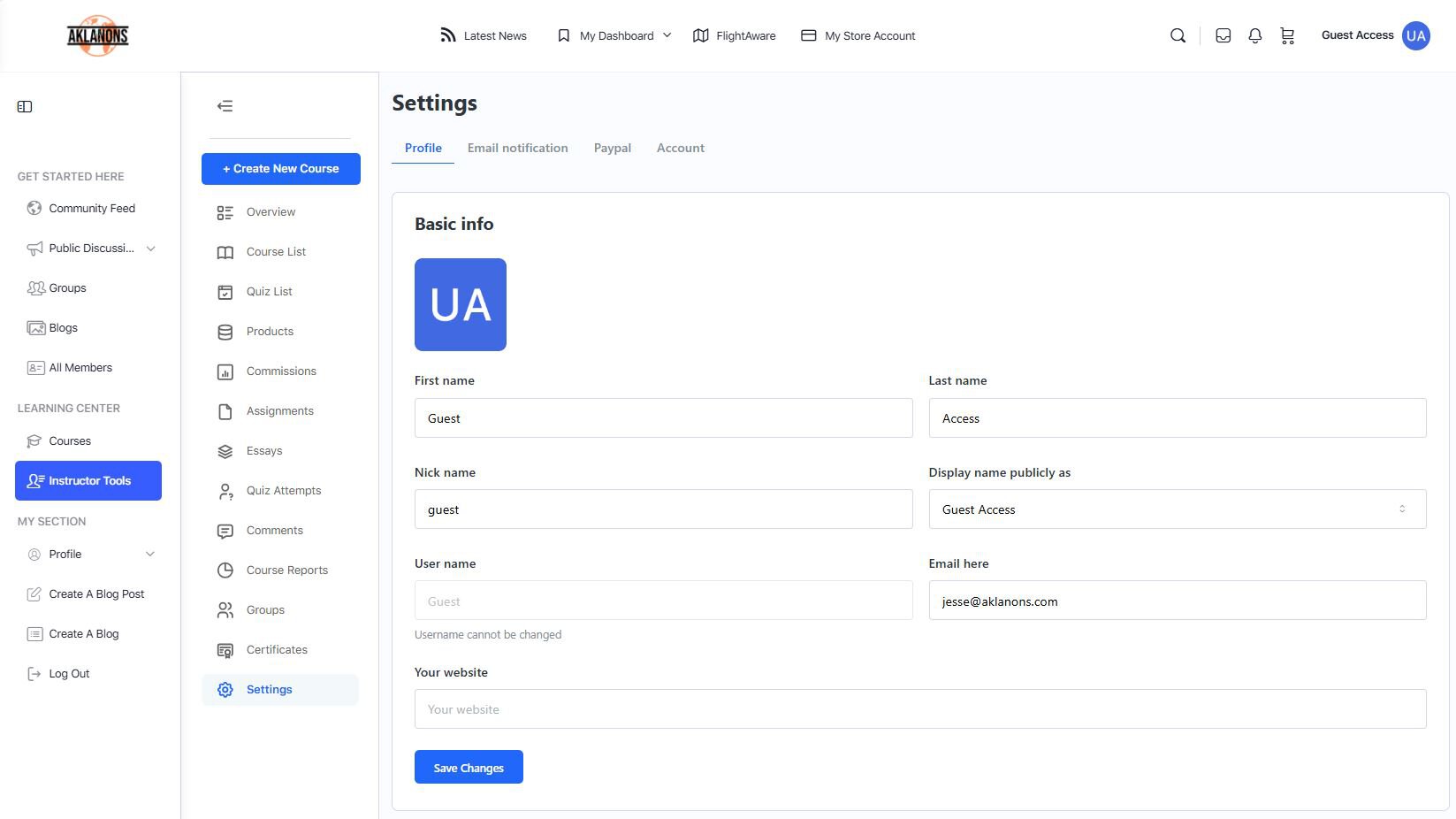
After approval, you’ll notice that “Instructor Tools” will become available in your site menu and profile area. This is where your journey for creating courses on Aklanons.com begins! The Instructor Tools section, which is your front-end dashboard, serves as your gateway to all the powerful features and capabilities available to course creators on our platform.
The Aklanons.com Instructor Tools provide a dedicated learning management experience explicitly designed for course creators and educators. As an instructor, you’ll have access to powerful tools that simplify course creation while maintaining focus on what matters most – teaching and engaging with your students.
Your Instructor Dashboard
Front-end Dashboard Experience
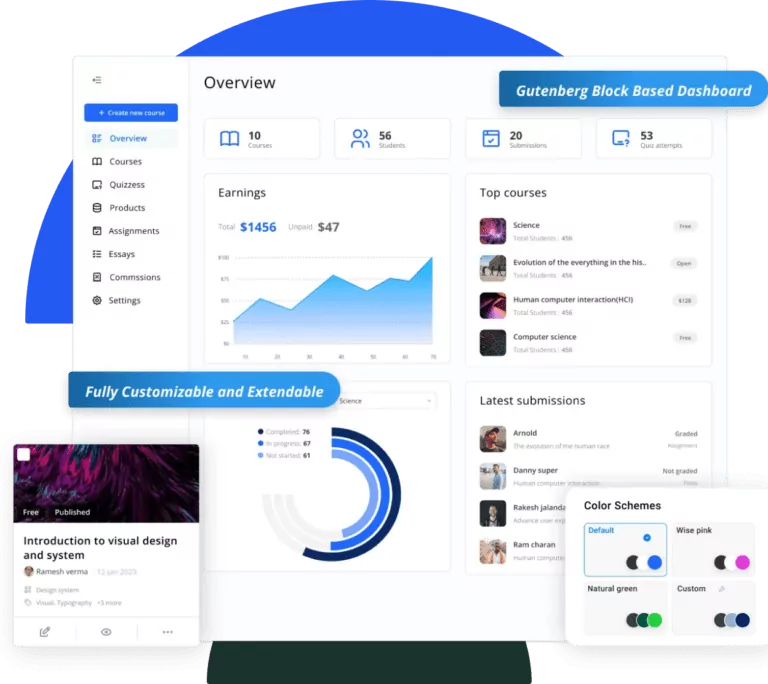
Your instructor dashboard features a clean, intuitive interface designed to streamline your workflow. The dashboard provides easy access to all the tools you need to create and manage your courses without overwhelming technical complexity.
Key Features:
- Simple UI Design: A visually appealing, decluttered interface that makes navigation effortless
- Customizable Layout: Your dashboard is built using flexible blocks that can be arranged to match your preferences
- Comprehensive Access: Everything you need for course creation, student management, and content development in one place
Dashboard Capabilities
From your dashboard, you can manage:
- Course creation and editing
- Quiz development and management
- Student assignments and essays
- Course maintenance and updates
- Communication with students
Creating Courses with Ease
Front-end Course Creator
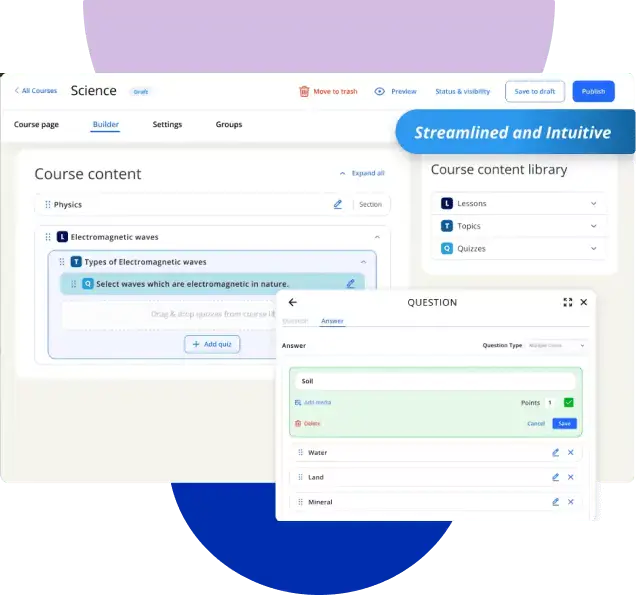
The front-end course creation tool allows you to build comprehensive courses without needing technical expertise. You can create entire course structures including:
- Lessons: Individual learning units that form the backbone of your course
- Topics: Smaller segments within lessons for detailed instruction
- Quizzes: Interactive assessments to test student understanding
Course Development Features
Streamlined Interface: The course creator offers a simplified and intuitive experience that removes technical barriers while maintaining powerful functionality.
Full Design Support: Create visually engaging courses with comprehensive design tools that help you present content in the most effective way possible.
Flexible Content Creation: Build courses that match your teaching style with flexible content organization and presentation options.
Collaborative Teaching
Working with Other Instructors
If you’re part of a teaching team, you can collaborate seamlessly with other instructors on course development and management. This collaborative approach enables multiple educators to contribute their expertise, creating comprehensive learning experiences.
Student Communication
Direct communication tools enable you to connect with your students effectively:
- Direct Messaging: Students can reach out to you directly from the lesson or topic pages
- Seamless Integration: Communication tools are built into the learning experience for natural interaction
- Student Support: Easy access to help students when they need guidance
Course Management
Content Organization
Your instructor interface provides comprehensive tools for organizing and managing course content:
- Create structured learning paths
- Organize lessons and topics logically
- Maintain course materials efficiently
- Update content as needed
Student Progress Tracking
Monitor how your students are progressing through your courses and identify areas where additional support might be needed.
Selling Your Courses
E-commerce Integration
As an instructor, you have access to tools that allow you to monetize your expertise through course sales, which we plan to implement in the future:
- Create and manage course products
- Set pricing for your educational content
- Handle course sales efficiently
Revenue Opportunities
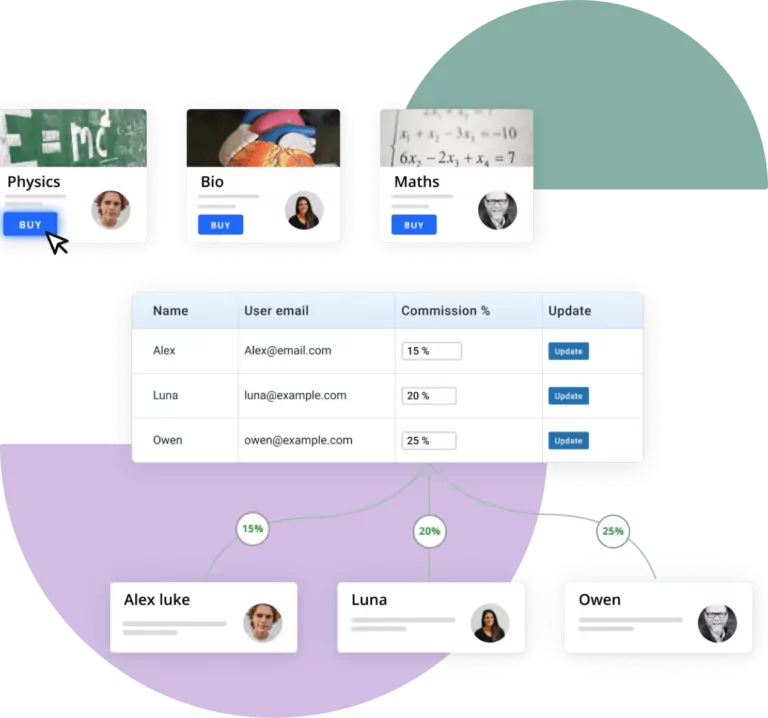
The platform supports revenue sharing, allowing instructors to earn income from their course sales based on established commission structures.
Getting Started Tips
Best Practices for New Instructors
- Explore Your Dashboard: Take time to familiarize yourself with all available features and tools
- Start Simple: Begin with a basic course structure and add complexity as you become more comfortable
- Focus on Content: Use the simplified interface to concentrate on creating valuable educational content
- Engage with Students: Take advantage of communication tools to build relationships with your learners
- Collaborate: Don’t hesitate to work with other instructors to enhance your courses
Planning Your First Course
Before diving into course creation:
- Define clear learning objectives
- Outline your course structure
- Gather all necessary materials
- Consider how you’ll assess student progress
- Plan for student interaction and support
Support and Resources
As you begin your journey as an instructor, remember that the platform is designed to support your success. The intuitive interface and powerful tools are there to help you focus on what you do best – teaching and inspiring your students.
The instructor experience prioritizes ease of use while providing all the functionality you need to create engaging, effective online courses. Whether you’re new to online teaching or an experienced educator, these tools will help you deliver exceptional learning experiences to your students.
Frequently Asked Questions (FAQ)
Getting Started
Q: How do I access my instructor dashboard? A: Once you’ve been granted instructor access, you can log into your account and access your dedicated instructor dashboard from the menu called the Instructor Tools. You’ll have a simplified, user-friendly interface designed specifically for course creation and management.
Q: Do I need technical skills to create courses? A: No! The instructor interface is designed to be intuitive and user-friendly. The front-end course creator removes technical barriers, allowing you to focus on creating great educational content without needing coding or advanced technical knowledge.
Q: Can I create courses from the front-end of the website? A: Yes, the front-end course creator allows you to build complete courses, including lessons, topics, and quizzes.
Course Creation
Q: What types of content can I create as an instructor? A: You can create comprehensive courses that include:
- Individual lessons
- Topics within lessons
- Interactive quizzes and assessments
- Assignments for students
- Course materials and resources
Q: Can I work with other instructors on the same course? A: Yes, the platform supports collaborative teaching. Multiple instructors can work together on course development and management, allowing you to combine expertise and create more comprehensive learning experiences.
Q: How do I organize my course content? A: The course creator provides tools to structure your content logically. You can organize lessons in sequence, create topics within lessons, and build clear learning paths for your students.
Student Interaction
Q: How can students contact me if they have questions? A: Students can communicate with you directly through integrated messaging tools. They can reach out from lesson or topic pages, making it easy for them to get help when they need it most.
Q: Can I track how my students are progressing through my courses? A: Yes, you have access to student progress tracking tools that help you monitor how learners are advancing through your course content and identify where additional support might be needed.
Q: How do I provide feedback to students? A: You can communicate directly with students through the built-in messaging system and provide feedback on assignments and assessments through your instructor dashboard.
Course Sales and Revenue
Q: Can I sell my courses and earn money from them? A: Yes, instructors can monetize their courses through the integrated e-commerce features that we are planning to implement in the future. You can create and manage course products and set pricing for your educational content. What you need to do currently is build your courses and your course portfolio.
Q: How do I get paid for course sales? A: The platform supports revenue sharing with instructors. You’ll earn a commission from course sales based on the established commission structure, with payments processed through the system.
Q: Can I see reports of my course sales and student enrollments? A: Yes, you have access to reporting features that show course performance, sales data, and student enrollment information for the courses you’ve created.
Technical Support
Q: What if I need help using the instructor tools? A: The platform is designed to be intuitive, but support is available if you need assistance. The simplified interface includes helpful guidance, and you can reach out for technical support when needed.
Q: Is there a mobile-friendly version of the instructor dashboard? A: Currently, we only want you to use a laptop or a desktop computer to create your course. Even if we can enable this on your device, building a course is not conducive to being built on a mobile device. However, the instructor interface is designed to be responsive and user-friendly across different devices, allowing you to manage your courses and interact with students from anywhere.
Content Management
Q: Can I update my courses after they’re published? A: Yes, you can update and maintain your course content as needed. This allows you to keep your courses current and relevant over time.
Q: How do I add multimedia content to my courses? A: The course creator supports various types of content, allowing you to create engaging, multimedia-rich learning experiences for your students.
Q: Can I preview my courses before students see them? A: Yes, you can preview your course content to ensure everything appears correctly before students access it.
Ready to start creating? Log in to your instructor dashboard and begin building the courses that will inspire and educate your students.